6 Powerful AI Tools to Replace Canva, Grammarly & Photoshop
AI Tools That Replace Canva, Grammarly, and Photoshop
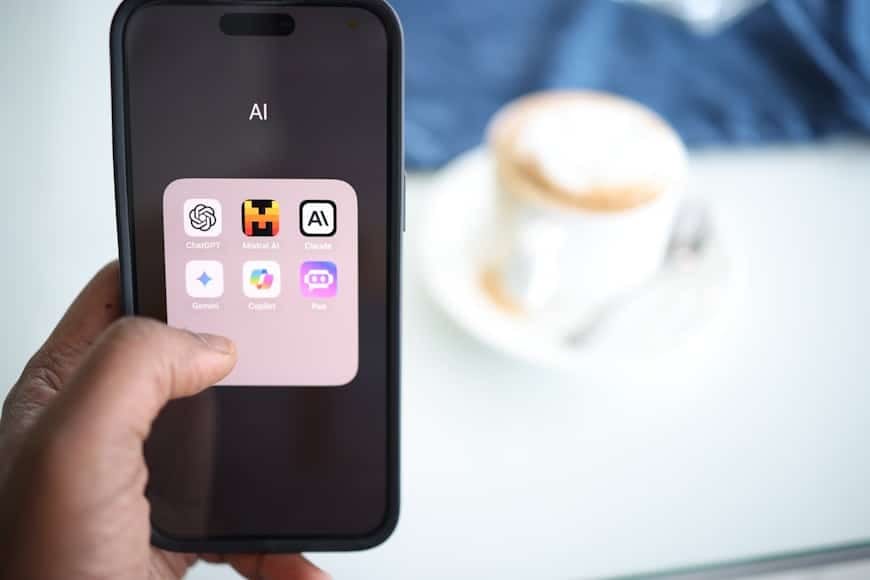
The advent of artificial intelligence has revolutionized the way we approach everyday tasks. Creative professionals, writers, and educators alike can now leverage powerful AI tools to enhance productivity and streamline workflows. But did you know that there are AI tools that can effectively replace popular software like Canva, Photoshop, and Grammarly? Join us as we dive deep into the realm of AI-powered alternatives that not only match but, in many ways, surpass the functionality of their conventional counterparts.
Reimagining Design with AI: Alternatives to Canva
Canva has been many people’s go-to tool for design – offering a user-friendly experience for non-designers. However, there’s more majestic innovation on the horizon with AI-driven platforms that push the boundaries further.
Crello (soon to be VistaCreate): Originally competing head-to-head with Canva, Crello is now taking a more AI-driven approach. It automates design adjustments and offers smart suggestions based on your previous work. You want beautiful social media graphics without the hassle of design complexities.
Designify: An ideal option for quick creations, Designify uses AI to instantly remove backgrounds and retouch images at the click of a button. Its ability to swiftly handle bulk images is perfect for those needing efficient batch processing.
Writing and Editing with AI: Beyond Grammarly

Grammarly has long been a favorite for writers seeking to enhance their grammar and readability. But what if you could integrate more nuanced AI capabilities into your writing toolkit?
ProWritingAid: While similar to Grammarly in its proofreading abilities, ProWritingAid enhances its features by offering in-depth style analysis and engages users through learning materials tailored to improve your writing actively.
Linguix: As an AI-driven writer assistant, Linguix stands out by offering not only grammatical corrections but writing suggestions across multiple platforms directly from your browser – providing adaptability on-the-fly across Google Docs, Gmail, and more.
Transforming Image Editing: AI Alternatives to Photoshop
Adobe Photoshop has been a staple for graphic professionals, yet AI is bringing fresher, less labor-intensive methods to image editing.
Pixlr: A robust web-based AI-powered image editor that offers numerous features found in Photoshop. Its AI Auto enhancement function allows for quick edit work, while its vast editing tools enable intricate manipulations.
Remove.bg: Specializing in background removal, this tool outshines many via its seamless and precise cutting capabilities. Gone are the laborious hours spent manually selecting image outlines.
Benefits of Using AI Tools
Transitioning to AI tools from established software like Canva, Photoshop, and Grammarly comes with multifaceted perks:
- Time Efficiency: AI-driven solutions often automate repetitive tasks, freeing up more time for creativity.
- Cost-Effectiveness: Many AI alternatives are free or come with budget-friendly subscriptions compared to traditional software.
- Learning Curve: AI tools are often intuitive, allowing beginners to perform tasks that may otherwise require advanced skills.
- Accessibility: With most AI tools being consistently updated online, access is often as simple as an internet connection.
The Future of AI in Software Replacement
As AI becomes more sophisticated, its applications will only broaden. Predictive features, anticipatory design elements, and real-time feedback are just some aspects we anticipate becoming commonplace. Whether learning from new software trends or actively seeking advancements, staying updated in the AI arena opens doors to unprecedented possibilities. Check Also more in our Blog.
For readers involved in tasks like image conversion, compression, or validation, consider exploring solutions like FileProton. It offers state-of-the-art capabilities while prioritizing ease of use and reliability.
Conclusion
While traditional tools like Canva, Photoshop, and Grammarly have served well, AI alternatives push the envelope significantly further. Embracing these emerging technologies not only optimizes workflows but empowers creativity unrestricted by previous limitations. With multifaceted benefits ranging from increased productivity to varied functionality, switching to AI tools is a wise step toward the future.
Interested in improving your image editing process even further? Check out our guide on the best AI tools for image optimization today.
Frequently Asked Questions
- What are AI tools that replace Canva, Photoshop, and Grammarly?
AI tools like Crello, Pixlr, and ProWritingAid offer similar functionalities with enhanced AI-driven features, providing a modern twist on traditional software. - Why use AI alternatives to traditional software?
AI alternatives are often more cost-effective, time-efficient, and easier to use, offering significant benefits over traditional programs. - Can AI tools handle professional-quality projects?
Yes, many AI tools are designed to offer professional-grade results, making them suitable for both casual and professional use. - Are AI tools reliable for creative work?
While AI tools are evolving, they offer innovative solutions for many creative tasks and are continually improving reliability and precision. - How do AI tools compare with Canva, Photoshop, and Grammarly?
AI tools enhance and sometimes exceed the functionalities of Canva, Photoshop, and Grammarly by integrating automation, smart suggestions, and even novel editing and design elements.